




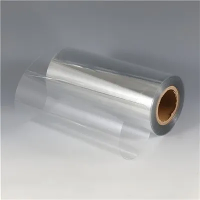

Hey there! As a supplier of Transparent PET for Printing, I've been getting a lot of questions lately about how to align the printing on both sides of transparent PET. It's a tricky issue, but don't worry, I'm here to share some tips and tricks to help you get it right.
Why is Alignment Important?
First off, let's talk about why alignment matters. When you're printing on both sides of transparent PET, the alignment of the images or text on each side needs to be spot - on. If it's not, the final product can look messy and unprofessional. Whether you're printing labels, packaging, or any other items, proper alignment ensures that your design looks consistent and high - quality from both angles.
Understanding Transparent PET
Before we dive into the alignment process, let's quickly go over what transparent PET is. Transparent PET (Polyethylene Terephthalate) is a popular material for printing because of its clarity, durability, and resistance to moisture and chemicals. It's used in a wide range of applications, from product labels to display signage. We offer different types of transparent PET products, such as APET Pet Sheet For Offset Printing, High Transparent Pet Plastic Rolls, and Rigid Transparent Pet Sheet With 2mm.


Pre - Printing Preparation
The first step in aligning the printing on both sides of transparent PET is proper preparation.
- Choose the Right Printer: Make sure your printer is capable of double - sided printing and can handle transparent PET. Some printers may require specific settings or modifications to work well with this material.
- Calibrate Your Printer: Regularly calibrate your printer to ensure accurate color reproduction and consistent printing quality. This will also help with alignment as the printer will be more precise in its movements.
- Design Your Artwork: When creating your artwork, use registration marks. These are small symbols or lines that are placed in the corners or edges of your design. They act as guides for the printer to align the two sides correctly. Make sure the registration marks are visible and distinct on both the front and back designs.
- Test Print: Before you start a large - scale print job, do a test print on a small piece of transparent PET. This will allow you to check for any alignment issues, color discrepancies, or other problems. You can make adjustments to your design or printer settings based on the test print results.
Printing Process for Alignment
- Manual Alignment: If your printer doesn't have an automatic double - sided printing feature, you'll need to do the alignment manually. After printing one side, carefully flip the transparent PET sheet and align it with the printer's feed guides and registration marks on the printer bed. This method requires patience and a steady hand, but it can work well for small - scale projects.
- Automatic Alignment: Many modern printers come with automatic double - sided printing capabilities. These printers use sensors and mechanical systems to align the second side of the print with the first. However, you still need to make sure the printer is properly calibrated and that the registration marks in your design are recognized by the printer.
- Using a Jig or Template: For more precise alignment, you can create a jig or template. This is a custom - made tool that holds the transparent PET sheet in place and ensures that it's positioned correctly for the second - side printing. You can use a piece of cardboard or plastic to create the jig, with cut - outs or guides that match the size and shape of your PET sheet.
Troubleshooting Alignment Issues
Even with the best preparation, you may still encounter alignment problems. Here are some common issues and how to fix them:
- Skewed Printing: If the second side of the print is skewed or off - center, it could be due to improper feeding of the PET sheet into the printer. Make sure the sheet is inserted straight and that the printer's feed guides are adjusted correctly. You may also need to clean the printer rollers to prevent any debris from causing the sheet to move unevenly.
- Color Shift: A color shift between the two sides can make the alignment seem off, even if the actual print position is correct. This can be caused by variations in ink levels, printer settings, or the PET material itself. Check your printer's color management settings and make sure the ink cartridges are full and functioning properly.
- Registration Mark Issues: If the printer isn't recognizing the registration marks, it may be because they're too small, too light, or not in the correct position. Try increasing the size and contrast of the registration marks and make sure they're placed within the printer's detection range.
Quality Control
Once you've completed the double - sided printing, it's important to do a thorough quality control check. Inspect the printed PET sheets under good lighting to ensure that the alignment is correct and that there are no visible defects. Look for any signs of smudging, misalignment, or color inconsistencies. If you find any issues, you may need to reprint the affected sheets.
Conclusion
Aligning the printing on both sides of transparent PET can be a bit of a challenge, but with the right preparation, techniques, and troubleshooting, you can achieve great results. As a supplier of Transparent PET for Printing, I'm always here to help you with any questions or problems you may encounter. If you're interested in our APET Pet Sheet For Offset Printing, High Transparent Pet Plastic Rolls, or Rigid Transparent Pet Sheet With 2mm, feel free to reach out to start a procurement discussion.
References
- "Printing on Transparent Materials: Best Practices", Graphic Arts Magazine
- "Polyethylene Terephthalate (PET) in Printing Applications", Plastics Technology Journal
- "Double - Sided Printing Alignment Techniques", Printing Industry Association Report