


Can I use a home printer for transparent PET printing?
As a supplier of Transparent PET for Printing, I often receive inquiries from customers about the possibility of using a home printer for transparent PET printing. This is a valid question, especially for small - scale projects, DIY enthusiasts, or those looking to test the waters before investing in commercial printing equipment. In this blog, I will explore this topic in detail, considering various aspects such as the properties of transparent PET, the capabilities of home printers, and the potential challenges and solutions.
Understanding Transparent PET
Transparent PET, or polyethylene terephthalate, is a popular plastic material widely used in printing applications. It offers several advantages, including high clarity, excellent mechanical properties, good chemical resistance, and dimensional stability. These characteristics make it suitable for a variety of printing projects, such as business cards, labels, posters, and product packaging.
There are different types of transparent PET products available, such as Transparent PET Plastic Sheet, High Quality Pet Rigid Sheet For Business Card Printing, and Transparent PET Thick Plate. Each type has its own thickness, surface finish, and intended use, which can affect the printing process.
Capabilities of Home Printers
Home printers come in various types, including inkjet printers and laser printers. Each type has its own set of features and limitations when it comes to printing on transparent PET.

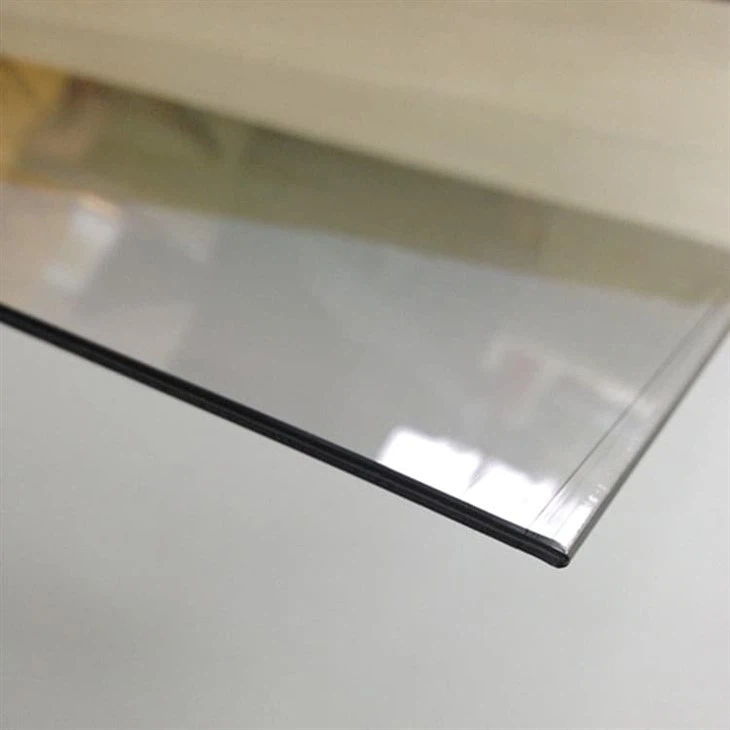
Inkjet Printers
Inkjet printers work by spraying tiny droplets of ink onto the printing surface. They are known for their ability to produce high - quality color prints with detailed graphics. However, when it comes to printing on transparent PET, there are some challenges.
One of the main issues is ink adhesion. Transparent PET has a smooth, non - porous surface, which makes it difficult for the ink to adhere properly. As a result, the printed image may smudge, fade, or peel off easily. To improve ink adhesion, some inkjet printers are equipped with special inks that are designed for printing on non - porous surfaces. Additionally, pre - treating the PET surface with a primer or coating can also enhance ink adhesion.
Another consideration is the drying time. Since the PET surface is non - absorbent, the ink takes longer to dry. This can lead to smudging if the printed sheet is handled too soon. Some inkjet printers have a drying function or can be used in combination with a separate drying device to speed up the process.
Laser Printers
Laser printers use a toner powder that is fused onto the printing surface using heat. They are generally faster and more efficient than inkjet printers, especially for black - and - white printing. However, laser printers also face challenges when printing on transparent PET.
The high heat generated during the fusing process can cause the PET to warp or melt, especially if the PET has a low melting point. This can result in a distorted or damaged print. To avoid this, it is important to use a PET material that is specifically designed for laser printing and has a high heat resistance.
Potential Challenges and Solutions
Adhesion Issues
As mentioned earlier, ink or toner adhesion is a major challenge when printing on transparent PET with a home printer. To address this problem, you can try the following solutions:
- Use Specialized Inks or Toners: Look for inks or toners that are formulated for printing on non - porous surfaces. These products are designed to have better adhesion and durability on materials like PET.
- Pre - Treat the Surface: Apply a primer or coating to the PET surface before printing. This can create a more porous surface for the ink or toner to adhere to. There are commercially available PET primers that can be easily applied with a spray or a brush.
Print Quality
Achieving high - quality prints on transparent PET can be difficult with a home printer. The smooth surface of the PET can cause issues such as banding, streaking, or uneven color distribution.
- Adjust Printer Settings: Experiment with different printer settings, such as print quality, resolution, and paper type. Some printers have a setting specifically for printing on glossy or non - porous materials, which can improve the print quality.
- Calibrate the Printer: Regularly calibrate your printer to ensure accurate color reproduction and consistent print quality. This can be done through the printer's software or control panel.
Warping and Melting
When using a laser printer, the heat generated during the fusing process can cause the PET to warp or melt. To prevent this:
- Choose the Right PET Material: Select a PET material that has a high heat resistance and is suitable for laser printing. Check the manufacturer's specifications to ensure compatibility.
- Adjust Printer Settings: Lower the fusing temperature or reduce the printing speed to minimize the heat exposure to the PET.
Conclusion
In conclusion, it is possible to use a home printer for transparent PET printing, but it comes with its own set of challenges. Whether you choose an inkjet or a laser printer, you need to consider factors such as ink or toner adhesion, drying time, heat resistance, and print quality. By using the right materials, pre - treatments, and printer settings, you can achieve satisfactory results for small - scale printing projects.
If you are interested in purchasing high - quality transparent PET materials for your printing needs, we are here to help. Our company offers a wide range of Transparent PET Plastic Sheet, High Quality Pet Rigid Sheet For Business Card Printing, and Transparent PET Thick Plate. We are committed to providing excellent products and services to meet your specific requirements. If you have any questions or would like to discuss your printing project, please feel free to contact us for further information and procurement negotiation.
References
- "Printers and Printing Technologies", John Wiley & Sons, Inc.
- "Plastics in Packaging: Technology and Innovation", Elsevier Science Publishing Co., Inc.